
Shoppable photos
Tag products right on lifestyle shots and link each hotspot to its product page. Inspiration turns into sales on any shop or blog.
Upload an image, then click it to add hotspots. Settings show up as you go. No account needed.

Upload an image to get started
Hotspots go on your own picture: a product shot, a floor plan, a team photo. Drop it here or
PNG, JPG, GIF, WebP or SVG · up to 15 MB · nothing is uploaded until you publish
Zero plugins. Works wherever you can paste HTML
Used by people at









and teams at 7,000+ more companies, schools and universities worldwide.
From shop windows to classrooms — if it can be photographed, it can be explained with hotspots.
Tag products right on lifestyle shots and link each hotspot to its product page. Inspiration turns into sales on any shop or blog.

Let buyers explore rooms, units and amenities by clicking the plan itself — ideal for real estate listings, hotels and new developments.
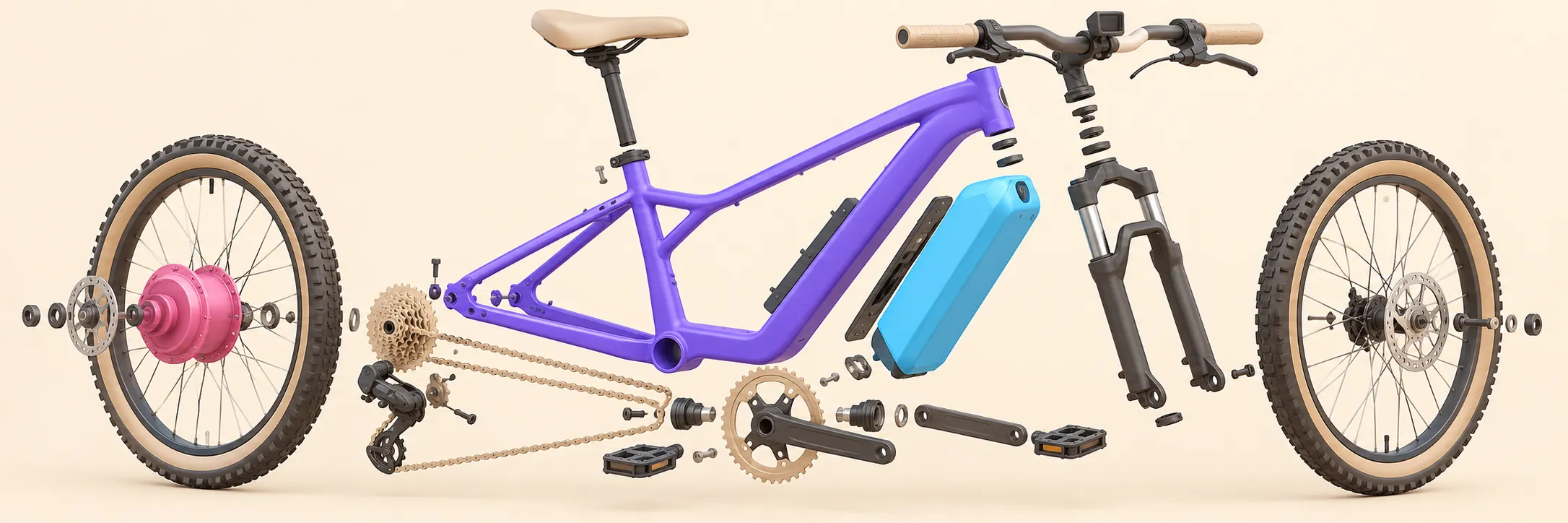
Explain anatomy, machinery or processes step by step. Learners tap hotspots to reveal definitions, images and videos at their own pace.

Pin sights, hotels and routes on maps or panoramas. Each hotspot can open a description, photos or a booking link.
You've already used the whole editor above. That's it — that's the product.
Title, description, link, image or a YouTube video — per hotspot. Visitors tap to reveal, right where it's relevant.
Hotspots are stored as percentages, so they stay pinned on phones, tablets and 4K screens. Touch and mouse both work.
The entire embed script is 7 KB gzipped. No plugin, no iframe wrapper, no layout shift. Paste it and forget it.
Marker colors, shapes, animations and popup styles. Premium removes the "Powered by" badge entirely.
From a plain picture to a clickable image on your site in three steps.
A product photo, floor plan, map or diagram. PNG, JPG, GIF, WebP or SVG.
Click the image to drop a marker, then add a title, text, link, image or video. Pick colours and icons that match your brand.
Publish, copy the embed code and paste it into your site. Later changes show up automatically.
An interactive image is a normal picture enhanced with clickable hotspots. Instead of reading long descriptions, visitors click or tap marked points on the image to reveal extra text, photos, videos, or links right where they are relevant.
No. Upload an image and add hotspots right here on the page — your draft is saved in your browser. You only need a free account when you want to publish it and get the embed code.
After creating your image you get a short embed code. Paste it into any HTML page, WordPress post, Shopify page, Wix site, or blog article - the interactive image loads automatically, no plugin required.
One image with up to 3 hotspots, the full editor, the embed code and no view limits. Free images show a small "Powered by" badge; Premium removes it and raises the limits to 500 images and 200 hotspots per image.
Yes. Every interactive image is fully responsive and adapts to the width of its container. Hotspots respond to touch on smartphones and tablets just like they respond to mouse clicks on desktop.
Finish it, publish it, paste it. Free plan includes 3 hotspots per image.
Back to the editor