Tutorial
How to create image hotspots for SharePoint
Image maps and hotspot images let your SharePoint users interact with visual content directly: navigation images, product showcases, org charts, site plans. Here is how to embed one in a few steps.
What is an image map in SharePoint?
An image map in SharePoint is an image with clickable areas, the hotspots, that open links or show extra content. It is a simple way to build visual navigation, product showcases or organisational charts that people can explore instead of just look at.
SharePoint has no built-in hotspot editor, but it can embed external content through the Embed web part. That is what we use below.
Create the interactive image
First create the hotspot image on interactive-img.com: upload the picture, click to place the hotspots and fill in their titles, texts and links. If you are new to the editor, the step-by-step tutorial linked below walks you through it.
Allow interactive-img.com in the HTML Field Security list
SharePoint only embeds content from domains on its allow list, so interactive-img.com has to be added once per site.
- 1
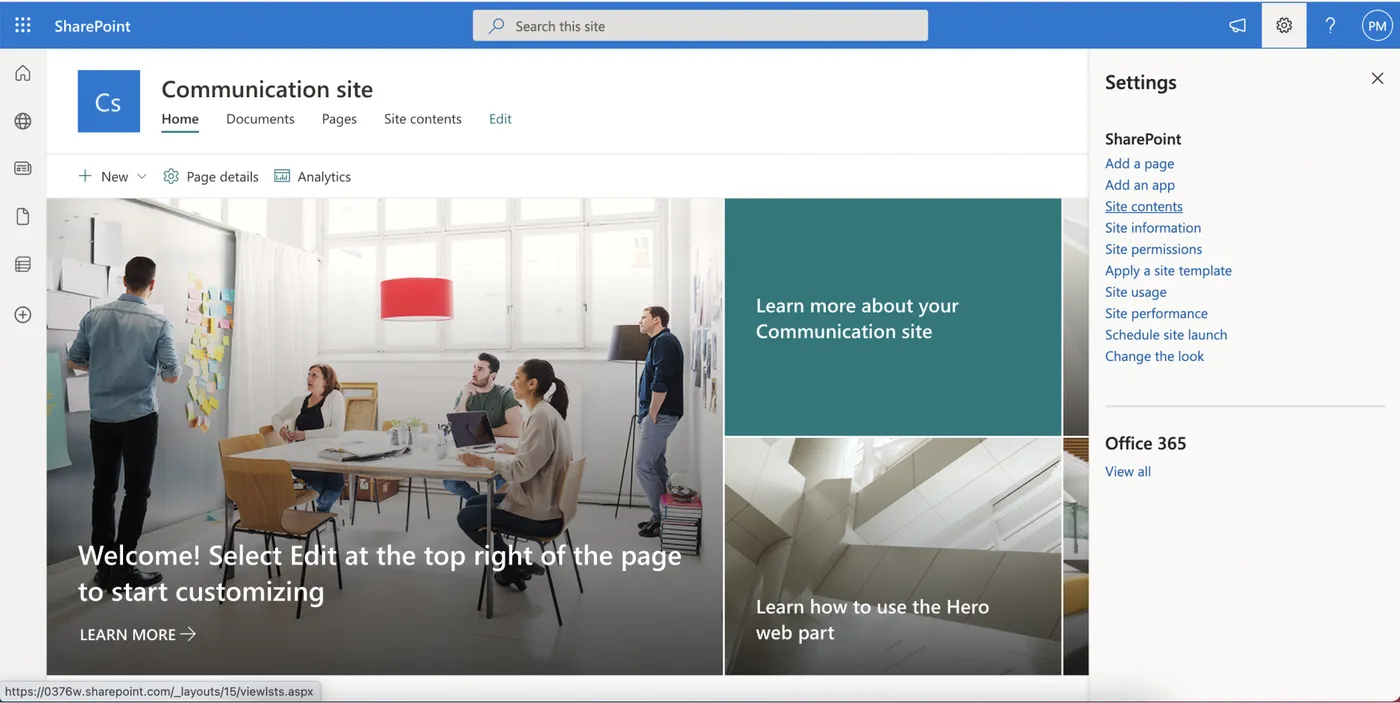
Open Site contents
Click the settings cog on your SharePoint site and choose Site contents.
- 2
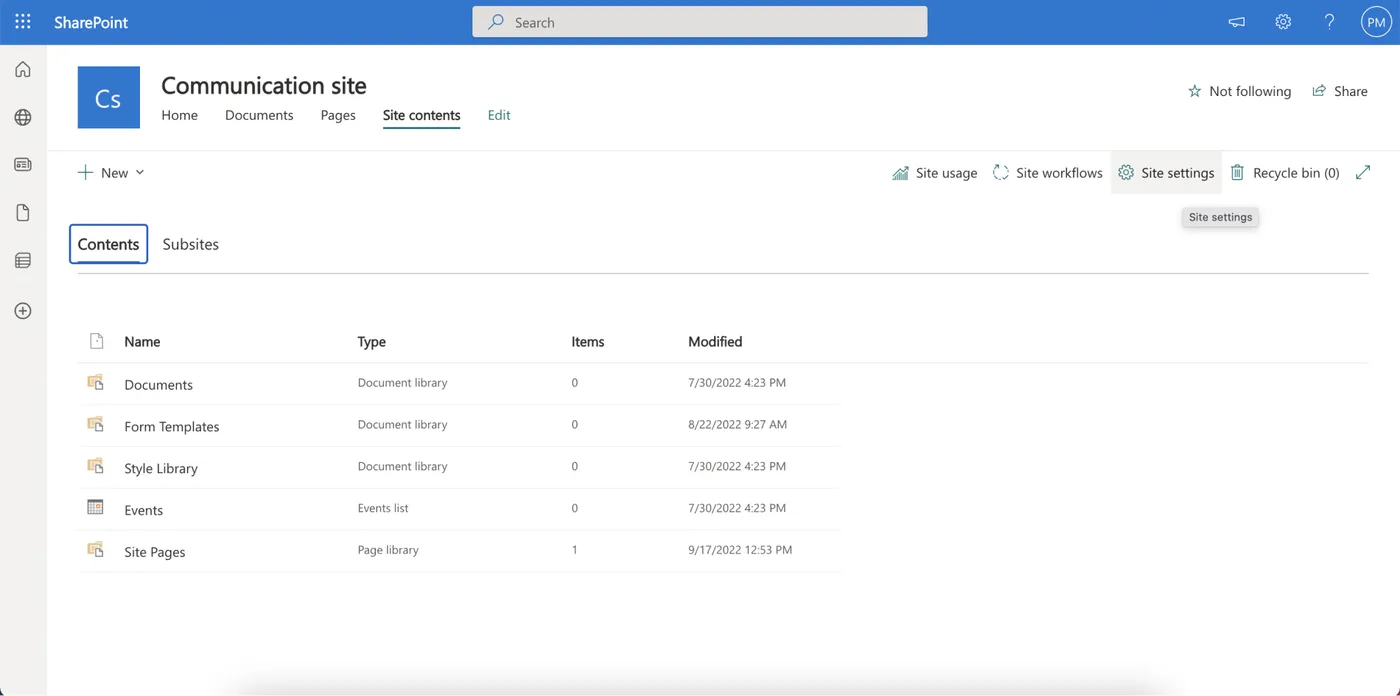
Open Site settings
On the Site contents page click Site settings.
- 3
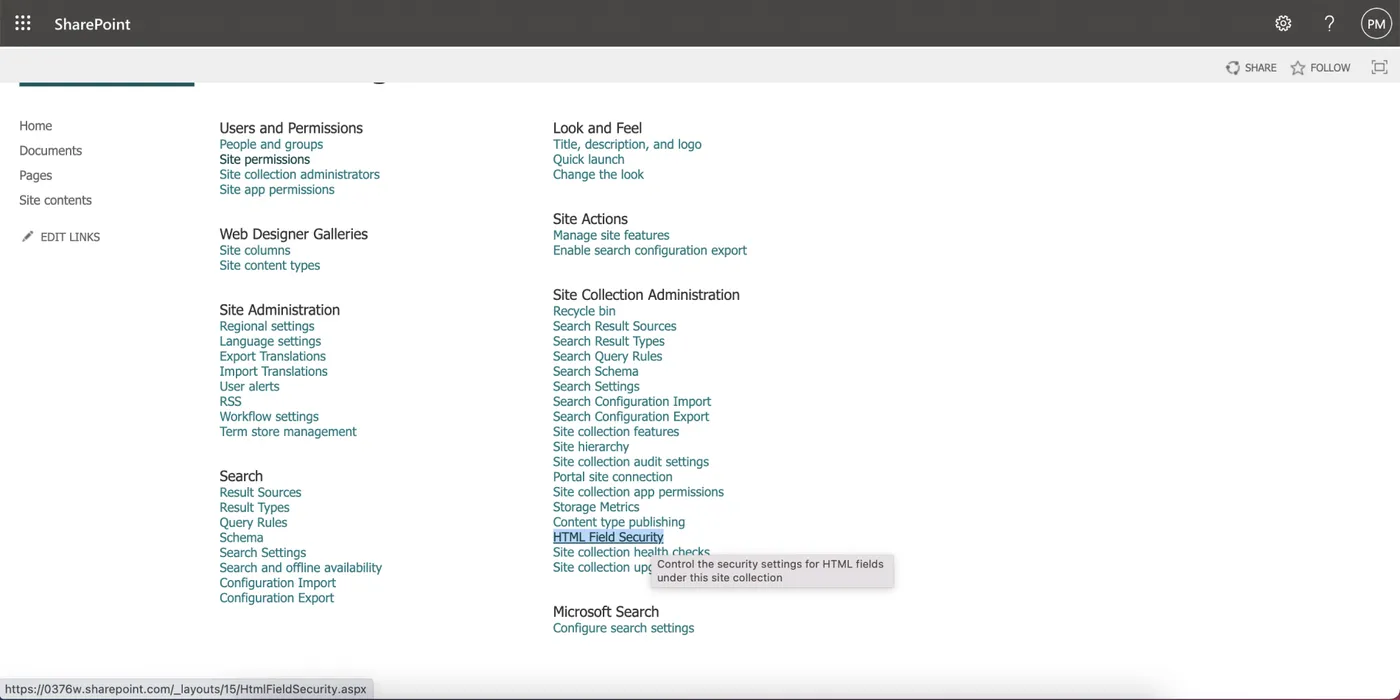
Open HTML Field Security
Under Site Collection Administration click HTML Field Security.
- 4
Add the domain
Add
interactive-img.comto the list of allowed domains and save.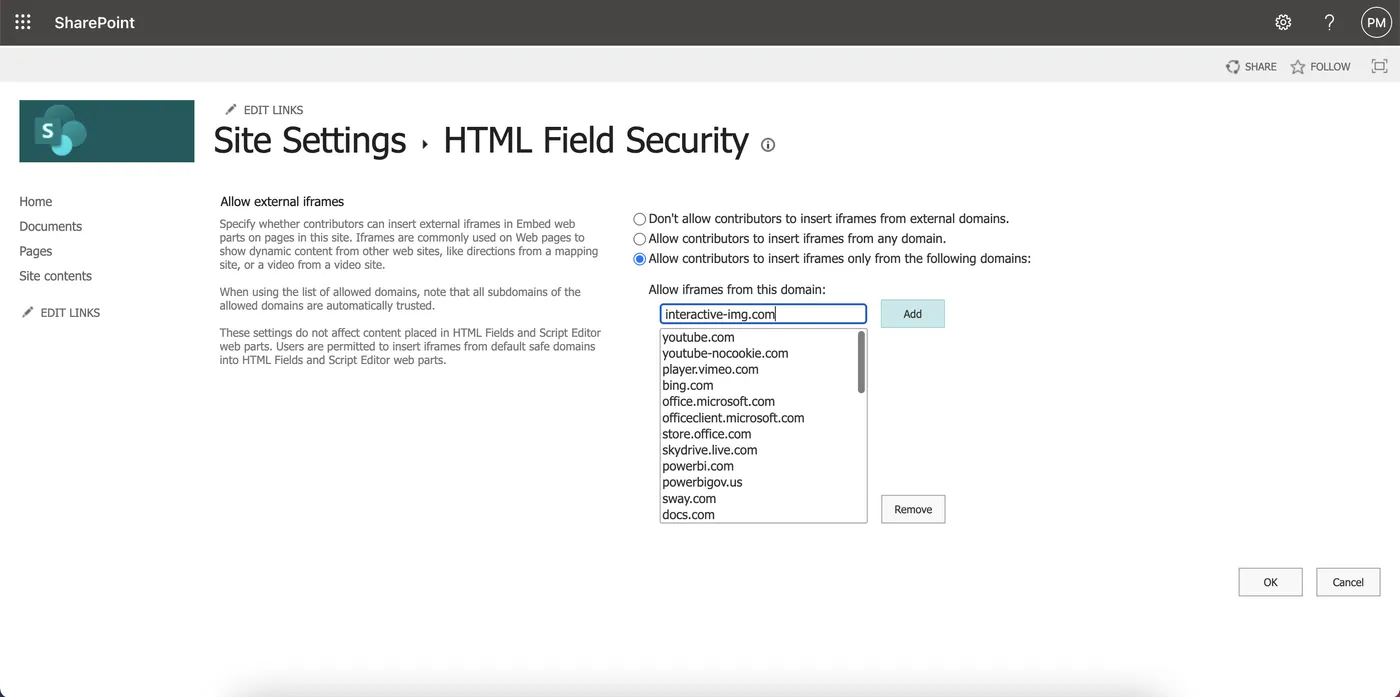
Embed the hotspot image into the SharePoint page
- 1
Add an Embed web part
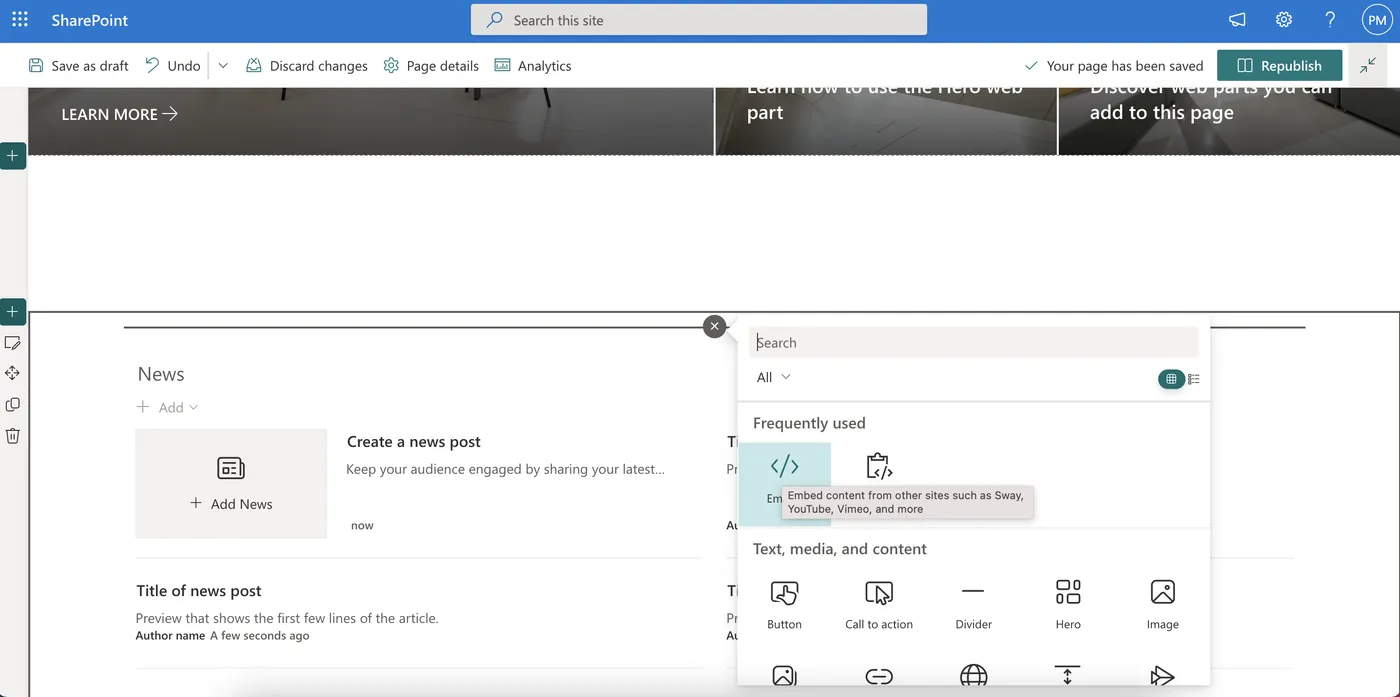
Open the SharePoint page where the image should appear, add a new section and choose the Embed web part.
- 2
Copy the iframe code
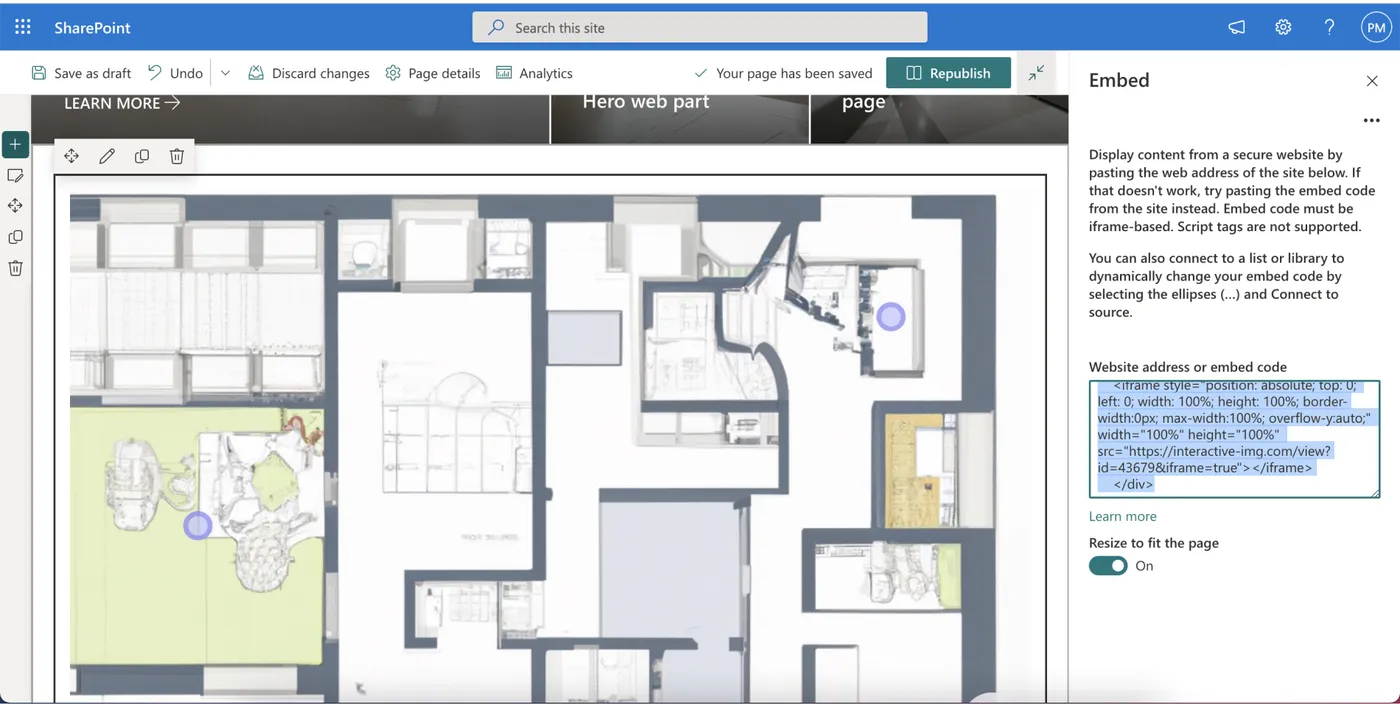
In your interactive-img dashboard open the image, go to the Embed tab and copy the iframe version of the embed code. SharePoint blocks scripts in the Embed web part, so the iframe is the one to use.
- 3
Paste and save
Paste the code into the Embed web part, then save and publish the page. The hotspot image is now part of your SharePoint site.
Build your SharePoint image map
Create the hotspot image for free, then embed it with the iframe code.